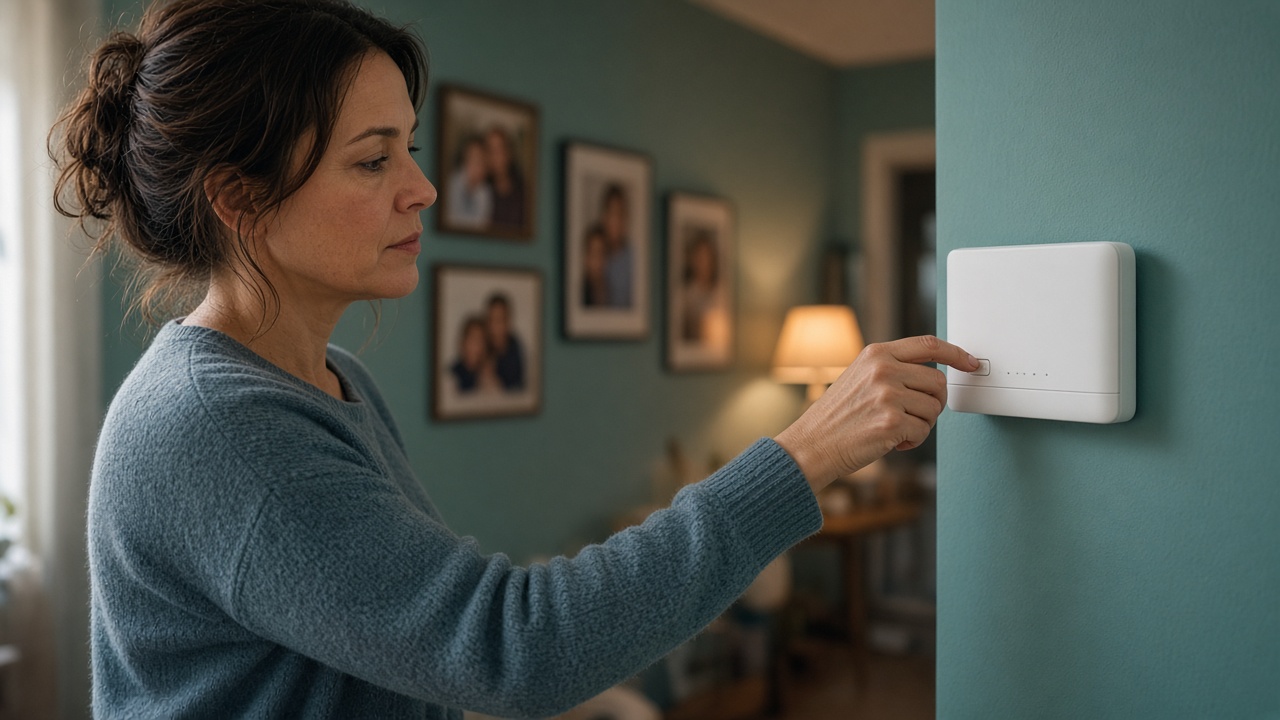
Joining a network from home is a privacy decision before it is a money decision. The connection is shared. The router sits between every phone, laptop, and television. Files, schoolwork, and private messages already move through that house. A parent who is curious about unused bandwidth still needs a plain list of questions, and the patience to leave the installer closed until those questions have answers in writing. The list is how a household stays in charge of its own network.
MetaEdge describes The NEST, planned for 2026, as opt-in software that would connect unused bandwidth with approved enterprise demand. The company material says enterprise traffic is encrypted and isolated, and that personal files, browsing history, and local storage stay untouched. Those are claims to verify, not a reason to skip the questions. Participation would be for adults aged 18 and over. Children do not install nodes. Rewards are variable and not guaranteed. This is education, not legal advice. Remember that.
Start with whose data and whose account
The first privacy question is not technical. Whose name would be on the account, and whose data lives on the machines nearby? An adult account holder is the only person who should accept terms. A shared family login, a child’s profile, or a school account fails that test immediately. If several adults share the house, they should agree who may consent and who must be told before anything is installed. Consent that one person cannot explain to the others is too thin for a shared connection.
Then ask what “our data” includes in ordinary life. Photos, messages, medical appointments, tax files, homework, and a work laptop left on the desk are all in the same rooms as the router. A bandwidth service should not need those things. Parents can write a sentence they want to be true: the software uses a share of the connection, and it does not open our files. If a product cannot support that sentence in its privacy notice, the household does not need a more complicated theory. It needs to wait.
Account recovery belongs in the same list. Who can reset the password? Where do confirmation emails go? A inbox that children also open is a poor place for security messages. Use a unique password and a second factor when it is offered, and keep recovery with an adult. This is ordinary hygiene. It does not prove a future service is safe. It keeps a curious download from becoming the weakest door in the house before anyone has read the terms.
Ask what a node is supposed to see
Parents can ask a simple version of a hard question. Does the software see the pages we visit, the files on the disk, the camera, the microphone, or only a slice of unused bandwidth? MetaEdge’s description says The NEST is built so personal files, browsing history, and local storage remain untouched, and so enterprise requests are encrypted and aimed at the public web rather than the home’s own devices. That is the claim to find, in those words or clearer ones, in the documentation of the version you would actually install.
A claim is not yet a control. Ask where the setting lives, how an adult pauses it, and how the software is removed. The supplied material describes pause and disconnect without penalties. Confirm that in the terms on the screen, not in a summary from a friend. Ask what information the operator receives about the household: a device identifier, connection quality, and amount of work are different from the contents of a message. If the notice is vague, treat vagueness as an answer. Unclear collection is not a green light.
Updates deserve their own question. Will the software change what it can see after an update, and will an adult have to agree again? A household rule can be that a material change in permissions stops the node until someone rereads the notice. Children should not be the ones clicking through update screens. The adult who installed it remains responsible for what a later version asks. Privacy is not a box ticked on the first afternoon and then forgotten later.
Separate the home network from the public web
A useful distinction for parents is between the private side of the house and the path out to the internet. Printers, shared folders, cameras, and speakers sit on the private side. A service that only needs to reach public websites should not be wandering that side. MetaEdge says enterprise requests are intended to reach the public web, not local devices or storage. Parents can hold that picture while they read. If the instructions mention opening ports, turning off a firewall, or letting unknown devices onto the Wi-Fi, stop and ask why. Those steps are not a normal part of keeping a family network closed.
Everyday exposure often matters more than a future node. A router still using its default password, remote administration left on, or a shared folder open to every device are problems whether or not anyone joins a network. Fixing them is household care. It is not a promise that sharing will be safe, and it is not legal advice about a provider’s contract. It does mean the family is not adding a new use on top of an already open door. Update the router. Replace default passwords. Turn off remote admin unless a trusted adult truly needs it.
Guests and housemates belong in the question too. Someone staying the week uses the same connection. They did not agree to an experiment they cannot see. A parent can decide that a node, if it ever runs, does so only in hours the household understands, and that visitors are told in a sentence what is and is not shared. The sentence should be true. “We share a bit of spare bandwidth; we do not share your messages” is the kind of line worth being able to say, and worth checking against the notice before you say it.
Children, phones, and shared screens
Children’s devices are outside this decision. Phones, tablets, school laptops, and a teenager’s gaming PC are not places to install a node, even with a parent watching. Participation is for adults aged 18 and over. A privacy policy written for an adult account does not become suitable because a child is skilled. The child’s messages, photos, location, and school accounts are not spare capacity. Parents can explain the fence without asking the child to prove it. The explanation is the lesson. The installation is not.
Shared screens need a rule of their own. If a family computer has separate logins, the node belongs only on the adult’s login, if it belongs anywhere. If everyone uses one account, the machine is a poor host: a child can click prompts they do not understand, and an adult cannot see who agreed. Create separate accounts before you even consider software. Do not install on a session that stays unlocked in a common room. Privacy includes knowing which person is allowed to say yes.
Talk to children in the same plain language you want from a company. We are asking whether a tool could use spare internet without reading our files. We will not put it on your phone. We will not ask you to keep a secret about it. If a friend says their parent lets them run it, that story is not our documentation. Older children can look at a privacy page with you and practise finding who collects what. That practice builds judgment. It does not end in a download.
Questions to take to the documentation
When an official offer exists where you live, read it with a short list. What data is collected? For what purpose? Who receives it? How long is it kept? Where is it stored? How do we pause, export if relevant, and delete the account? What happens if the company changes owners or terms? You do not need to become a lawyer to notice a missing answer. This article cannot interpret the law of your country. It can say that a missing answer is a reason to wait, and that a marketing page is not the privacy notice.
Match the notice to the product you can see. MetaEdge’s public description is a starting point, not a substitute for the screen in front of you in 2026 or whenever a launch reaches your market. If the software asks for contacts, photos, or full-disk access, that request conflicts with the claim that local files stay untouched. Believe the request you can see. Do not install “just to look” on the family machine. Looking can be done from the documentation, or on a machine an adult can wipe without touching schoolwork and family records.
Keep the reward question from crowding out the privacy questions. A variable reward, even if it appeared, would not answer who can see the household’s traffic. Eligibility, demand, location, and terms would still govern any payment, and nothing is guaranteed. Parents who feel rushed by a limited-time bonus can treat the rush as a warning. A privacy decision that must be made tonight is usually a decision that can wait. The NEST’s announced timing is 2026. There is no preparation that requires handing over data early.
Review the choice more than once
Privacy is a review, not a single yes. Put a date on the calendar to reread the notice, look at what the software is allowed to do, and ask whether the connection still feels like the family’s. If calls or homework have suffered, that is a practical signal as well as a comfort one. Company material says The NEST is intended not to slow personal browsing, while real results depend on setup and the line. Watch your own week. A node that the household resents is not a successful privacy outcome, whatever a dashboard shows.
Tell the other adults when something changes: a new permission, a new device, a guest who stays longer, a child who gets their own phone. The original consent did not automatically cover the new situation. Children do not re-consent on behalf of the house. If the only person who understands the software has moved out or lost interest, uninstall it. An abandoned node is not a neutral object. It is software nobody is watching. An adult should still be watching it.
You can also decide that the questions were useful and the answer is no. Many families will keep the connection as a private utility and let The NEST remain a plan they understand rather than a service they run. That choice protects files, guests, and children’s devices without requiring fear. It leaves room to look again when final terms exist in your country. Until then, the best privacy control is the one you already have: do not install, and do not let a child install for you.
Frequently asked questions
Can MetaEdge see our family files or browsing history?+
The company material says The NEST is designed so personal files, browsing history, and local storage stay untouched, and so enterprise traffic is encrypted and isolated. Treat that as a design claim. Before any adult opts in, confirm it in the privacy notice and in the permissions you can see. If the software asks for files, do not install it.
Does joining mean strangers can enter our Wi-Fi?+
It should not. A node is not a second invitation onto the home network. MetaEdge says enterprise requests are meant to reach the public web, not local devices. If instructions tell you to open the network, disable a firewall, or share the Wi-Fi password more widely, stop. Those steps are not required for a closed family network.
Should children read the privacy policy with us?+
Older children can learn how to find who collects data and what a permission screen is asking. They do not accept the terms, create the account, or install the node. Participation is for adults aged 18 and over. The reading is a lesson. The decision stays with an adult.
Is a reward a reason to accept unclear terms?+
No. Rewards are variable and are not guaranteed. They do not answer a privacy question. This is not legal or financial advice. If the notice is vague, or if a bonus pressures you to decide tonight, wait. The NEST is planned for 2026, and early data is not a form of preparation.
What if we already installed something from a link?+
An adult should disconnect the device from extra software they do not recognise, remove it, and change the relevant passwords. Do not ask a child to finish the setup. Unofficial files are not The NEST. Read only official documentation if a real offer later exists where you live.